Silicom 100G 旁路交換器Bypass Switch/TAP



Inline資安設備,如NGFW、IPS、WAF、DDoS、SSL、DPI,是企業避免遭受駭客或蠕蟲入侵的守門神,需要對每個封包深度檢測,確認安全無虞後,才能讓封包通過。因此繁複的工作需要大量消耗設備的CPU效能,並且軟硬體都必須有良好的搭配,而資安設備的效能也與阻擋規則的種類與多寡息息相關,能夠處理的流量並非等同於介面速度,因此難免偶而的當機或更新軟體初期系統不穩定等,導致對外網路斷線,反而造成企業立即的災難,甚至營收的損失。旁路交換器的功能,能讓這種斷線的風險,降到最低。
旁路交換器(Bypass Switch)的功用,是用來免除透通模式(Inline)的資安監控設備或頻寬管理器,所引起的網路斷線疑慮,從防護的效用來看,一般可分為三種等級:
- 普通級:Inline主機與自身斷電bypass
- 進階級:普通級功能加上 Inline主機當機、斷線bypass
- 最高級:進階級功能加上 旁路交換器自身當機bypass
IS100 100G 旁路交換器(Bypass Switch),皆屬於最高等級的防護力,具備主動與被動式旁路能力,能保護網路,不讓監控設備因維護、當機或斷電而導致網路中斷。除了可發送監控用的心跳封包(Heartbeat),監控資安主機進行旁路切換之外,也監控自己的健康狀態,自己當機或斷電也能進行旁路切換,而不會成為網路的故障點。
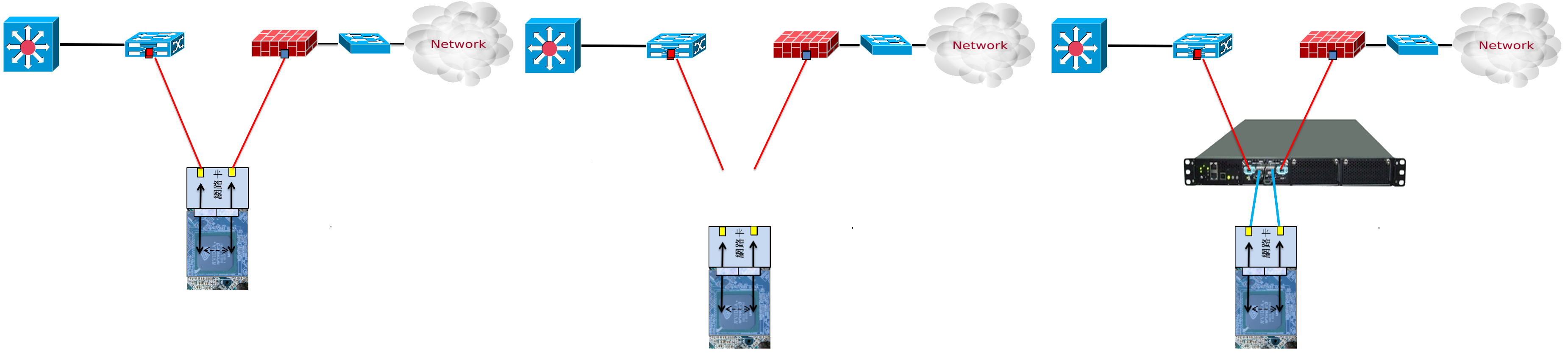
一般用戶的迷思,認為內聯(Inline)設備只要具備Bypass功能的網卡,發生故障時就不會造成網路中斷了,但殊不知IPS、WAF、DAM、頻寬管理器等內聯(Inline)模式設備故障,最常造成網路斷線的原因就是...當機,或者已經處於流量處理速度很慢,但卻又沒有斷線的"半死"狀態,造成用戶聯外失敗的問題;即使用了HA架構,但這種狀況發生時,卻仍需要手動切斷故障的內聯設備,才能讓全部流量順利進入HA備援機制的第二台監控設備中。此刻內聯設備內建的bypass網卡的作用,只是在設備切斷電源後,暫時讓網路流量可以通過。但如此一來,完全達不到自動化斷線防護目的,仍需要耗費人力,處理斷線的問題,且是在造成網路down time一段時間後,才能解決問題,因此越來越多用戶開始重視斷線防護等級的差異,並願意投資更有效的斷線防護方案。
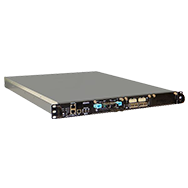
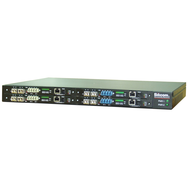
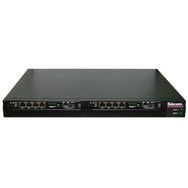
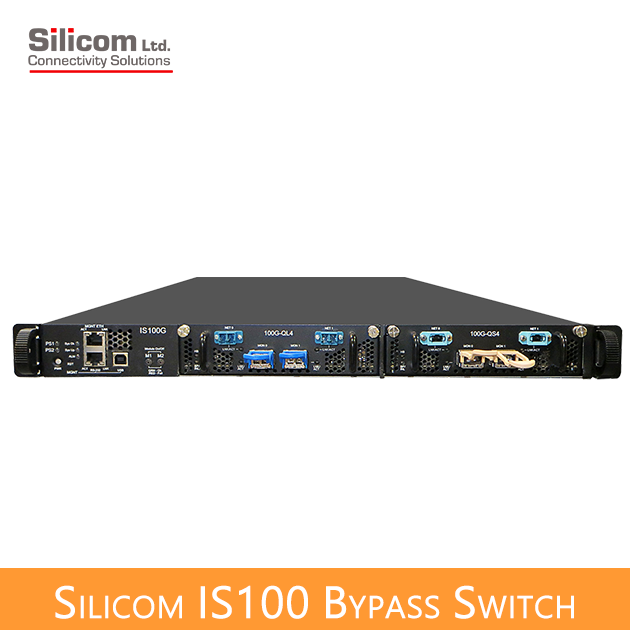
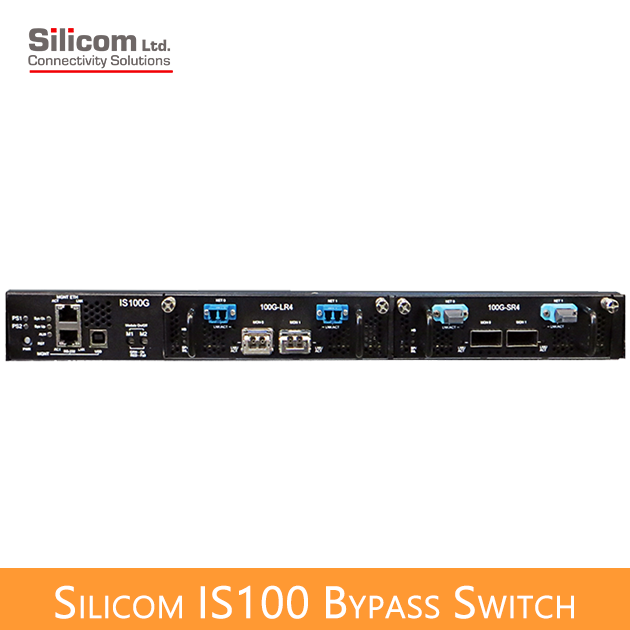
Silicom IS100智慧旁路交換機採用1U標準機箱,擁有兩個模組的擴充空間;每個100G模組支援一對旁路端口(1 segment)。
再介面選擇上,IS100智慧旁路交換機除了支援單模光纖(100GBase-LR4),也支援多模光纖(100GBase-SR4, 100GBase-SR10),每個旁路模組提供兩個MPO/LC規格的網路端口連接上下端網路,以及兩個QSFP28端口連接Inline模式的資安設備。
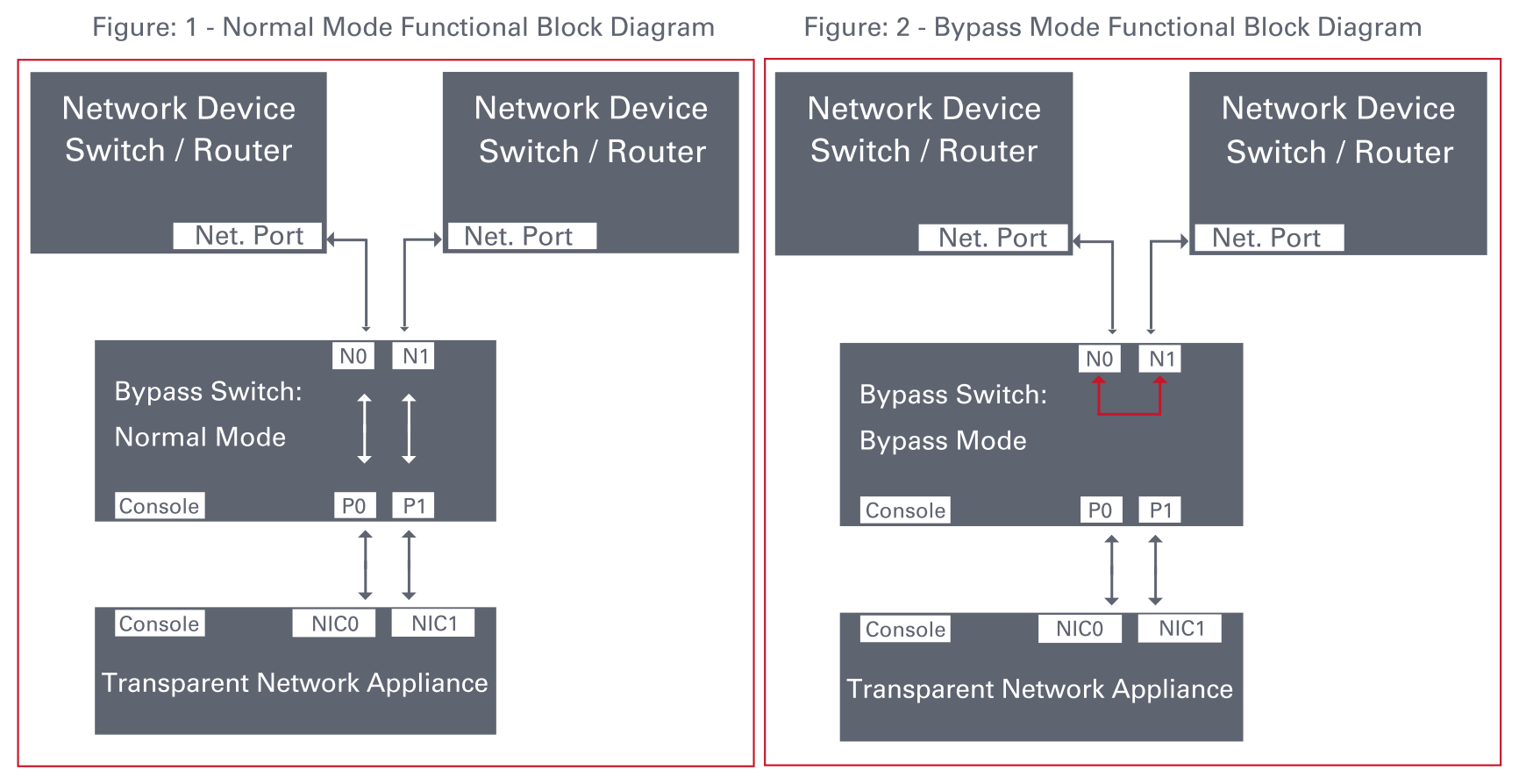
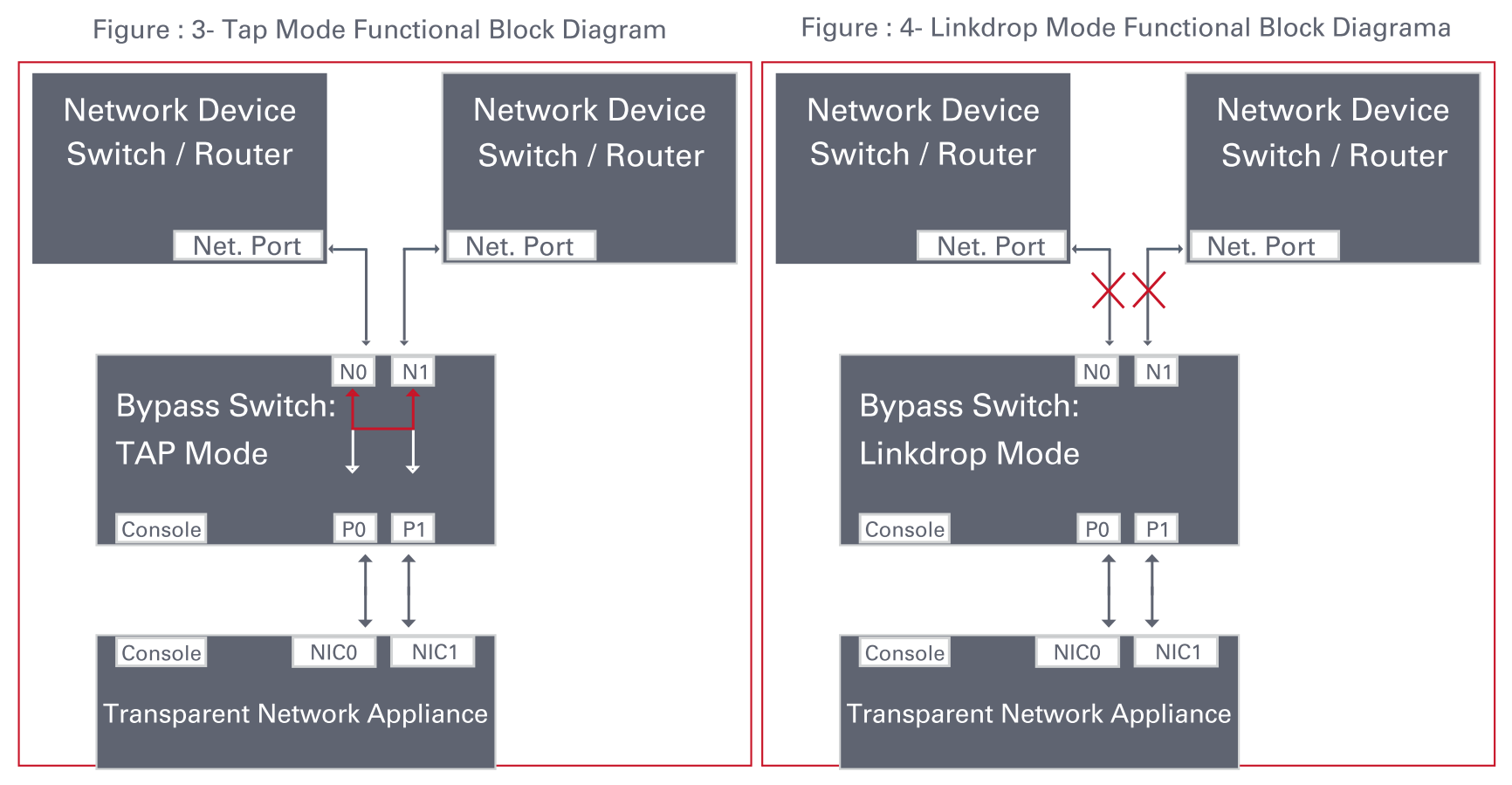
Silicom IS100智慧旁路交換機(Intelligent Bypass Switch)支援四種旁路模式:正常內聯(Normal inline)、旁路(Bypass)、分流(TAP)與斷線(Linkdrop)等模式。
- 在正常內聯模式下(Normal),IS100引導網路流量至所連接的內聯網路設備。
- 在旁路模式中(Bypass),IS100不會將流量引導到所連接的網絡監控設備(Inline appliance),而將流量直接導回到網絡中。
- 在分流模式(TAP)中,流量直接透通NET埠,但被複製到MON埠,進入NET0端口的流量會被複製到MON0端口,進入NET1端口的流量被複製到MON1端口,網路實際流量在NET0與NET1之間傳送,不會導入連接MON0與MON1的網路設備,讓設備不會影響網路,卻又能有測試流量,以利工程師偵錯。
- 在斷線模式(Linkdrop),IS100偵測到"當機"的內聯設備,則自動關閉網絡端口(NET0, NET1)的連接讓網路中斷,讓流量可以順利導入仍在HA模式中的正常監控設備,才能真正達到全時自動化監控的效用。
IS100 bypass模組可產生心跳封包(Heartbeat),心跳封包隨著網路流量到內聯式的網路監控設備的網路端口,讓心跳封包從網路端口進入設備內部,並與其他網路流量傳輸到其他端口(橋接心跳封包),送出心跳封包。IS40 bypass模組在預設時間內檢測到返回的心跳封包,則保持內聯模式。
當IS00 bypass模組未從內聯設備端檢測到返回的心跳封包(heartbeat packet) ,則依據預先的設定,IS00自動會被切換成旁路(Bypass)、複製分流(TAP)或鏈路斷線(Linkdrop)模式。當內聯(Inline)監控網絡設備恢復正常並讓心跳封包在預設時間內返回bypass模組,IS100偵測到返回心跳封包,則恢復成正常內聯模式。通常,bypass模式會在內聯設備電源故障、鏈路故障、內聯軟體應用程序系統當機,或使用者要求時啟動。
IS100包含雙重旁路安全架構。Silicom雙重旁路安全架構基於兩個旁路路由電路:一個為主動旁路電路和被動旁路電路。如果內部偵測到主動旁路路由電路發生故障時,則啟動被動旁路路由。因此,IS100不僅監控內聯設備的健康狀態,也監控自我的旁路功能是否正常,讓用戶多一層保障。
- 簡單的CLI指令設定介面,經由序列埠console、 Telnet 或 SSH.
- 網頁圖形GUI管理介面
- SNMP Write網管自動寫入
IS100是一款1U主機系統,最多可支援兩個100G bypass模組,主機包含兩個備援110 - 220 V AC電源或兩個備援-48直流電源。

功能特性
- 自我產生心跳測試封包 - 無需在內聯設備上安裝驅動程式或管理端口產生Heartbeat。
- 設置成旁路狀態,當檢測到內聯系統出現故障時
- 設置成旁路狀態,當檢測到內聯系統鏈路故障時
- 設置成旁路狀態,當檢測到內聯軟件應用程序系統當機
- 設置成旁路狀態,當電源故障
- 設置為正常內聯狀態,當檢測到內聯的網路監控系統復原時
- 雙重安全旁路架構,具有雙路由電路設計
- Centralized managements
- 內建兩個板載”看門狗定時器”(WDT,Watch Dog Timer)控制器
- 軟體可設定Heartbeat最大延遲時間與HB發送間隔
- Software Programmable WDT Enable / Disable
- 每一個模組都有獨立的旁路(Bypass)/正常(Normal)/分流(TAP)/斷線(Linkdrop)操作
- 在1U機箱內支援多達2個100G模組
- 支援TAP運作模式
- 通過序列端口簡單的CLI配置管理
- 通過網絡管理端口(MGMT),Telnet遠端登錄管理界面
- 通過網絡管理端口,使用SSH管理界面
- 支援SNMP版本1,2C,3(SHA,AES)
- 支援遠程日誌
- 支援TACACS+
- 支援 RADIUS
- 支援 NTP
- 支援時區
- 支援多重保存/備份的配置
- 支持兩個端口連動功能 - 如果網絡中的一個端口鏈路發生故障時,會關閉另一個網路端口上的鏈接。
- 雙備援電源
- 可選-48V直流電源
IS100 Bypass Switch
Silicom 100G Intelligent Bypass Switch
| Bypass Switch Specifications | |
| WDT Interval (Software Programmable): | Routing Transmit heart beat packet every 3mS – 10Sec. Default 5mS Verification packets received every 10mS – 50Sec. Default 20mSec Double Bypass Transmit heart beat packet every 300mS – 60Sec. Default 7Sec Verification packets received every 1S – 253Sec. Default 20Sec |
| Production Default configuration | |
| Mode at Power up: | Bypass |
| Heartbeat: | Activated |
| Bypass Switch is ready and in-line device responds to heartbeat: | Change to Normal |
| In-line device responds to heartbeat: | Normal |
| In-line device does not respond heartbeat: | Bypass |
| Mode at Power 0ff: | Bypass |
| Heartbeat Packet: | Internetwork Packet Exchange |
| IS1001U: Bypass Switch 1U Host System Technical Specifications | |
| Dockings: | Front holders |
| Voltage Input: | AC: 90-240 VAC Auto-Select -48 (-75 – -36) VDC |
| Power Consumption: | With no module : 240W With one LR4 module (with 90% utilization):405W With 2 LR4modules (with 90% utilization):552W |
| Size: | 435mm x 586 mm x 44 mm ( 17.12” x 23.07” x 1.732”) Wide x Depth X Height |
| Weight: | 10Kg |
| Operating Humidity: | 0%–90%, non-condensing |
| Operating Temperature: | 0°C – 40°C (32°F – 104°F) |
| Storage Temperature: | -20°C–65°C (-4°F–149°F) |
| EMC Certifications: | Class B FCC / CE / VCCI |
| MTBF*: | 21 Years. *According to Telcordia SR-332 Issue 2. Environmental condition – GB (Ground, Fixed, and Controlled). Ambient temperature 40°C |
| IS1001U: Bypass Switch 1U Host System LEDs & Switches Specifications | |
| LEDs: |
Two Power LEDs: PS1, PS2
System Status LEDs: 3 LEDs
WhoI’m: in rack identification – Blinking Green.
Module Power LEDs: 3BICOLOR LEDs |
| Switches | Sys PWR: Turn all system ON From ON to OFF – In order to switch system off required press and hold this pushbutton during 8s From OFF to ON – simple push will turn system on. Module ON/OFF power: 2 switches MxPWR: Turn Module x power (x = 1,2) From ON to OFF – In order to switch module off required press and hold this pushbutton during 5s From OFF to ON – simple push will turn module on. Reset: Small micro-switch stand behind hidden hole allows reset the system if this is necessary |
| Connectors: | Management RJ-11 serial port RJ-45 Ethernet USB port |
| IS100M100G4BP-CSR4 (50um) | |
| Fiber Gigabit Ethernet Technical Specifications – (100GBase-SR4) Adapters: | |
| IEEE Standard / Network topology: | Fiber Gigabit Ethernet, 100GBase-SR4 (850nM) |
| Data Transfer Rate: | 4 x 25.78125G for each lane |
| Cables and Operating distance: | 4x Multimode fiber:50um *50m maximum on OM3 MMF *75m maximum on OM4 MMF Theoretical Distance – Defined as half a distance |
| Output Transmit Power: | As defined by IEEE 802.3bm |
| Optical Receive Sensitivity: | As defined by IEEE 802.3bm |
| Power Consumption: | ~30W |
| Weight: | 1.2Kg |
| Operating Humidity: | 0%–90%, non-condensing |
| Operating Temperature: | 0°C – 40°C (32°F – 104°F) |
| Storage Temperature: | -20°C–65°C (-4°F–149°F) |
| EMC Certifications: | Class B / FCC / CE / VCCI |
| Safety: | UL |
| MTBF*: | 57 Years. *According to Telcordia SR-332 Issue 2. Environmental condition – GB (Ground, Fixed, and Controlled). Ambient temperature 40°C |
| Connectors: | Network: 2 MPO OM4 Monitor: 2 CFP4 |
| IS100M100G4BP-SR10 | |
| Fiber Gigabit Ethernet Technical Specifications – (100GBase-SR10) Adapters: | |
| IEEE Standard / Network topology: | Fiber Gigabit Ethernet, 100GBase-SR10 (850nM) |
| Data Transfer Rate: | 10 x 10.3125G for each lane |
| Cables and Operating distance: | 10x Multimode fiber *50m maximum on OM3 MMF *75m maximum on OM4 MMF |
| Output Transmit Power per lane: | Max : 3 DBM Min: – 7.6 DBM |
| Optical Receive Sensitivity per lane: | Max -5.4 DBM |
| Power Consumption: | ~30W |
| Operating Humidity: | 0%–90%, non-condensing |
| Operating Temperature: | 0°C – 40°C (32°F – 104°F) |
| Storage Temperature: | -20°C–65°C (-4°F–149°F) |
| EMC Certifications: | Class B / FCC / CE / VCCI |
| Safety: | UL |
| MTBF*: | 49 Years. *According to Telcordia SR-332 Issue 2. Environmental condition – GB (Ground, Fixed, and Controlled). Ambient temperature 40°C |
| Connectors: | Network: 2 MPO OM4 Monitor: 2 CXP |
| IS100M100G4BP-CLR4 | |
| Fiber 100Gigabit Ethernet Technical Specifications – (100G Base-LR4) Adapters: | |
| IEEE Standard / Network topology: | Fiber Gigabit Ethernet, 100GBase-LR4 range of 4 wavelength (per 100G LR4 spec) |
| Data Transfer Rate: | 4 x 25.78125G in four wavelengths |
| Netowrk ports Cables and Operating distance: | Single mode fiber: four wavelengths 5000m maximum at 9 um ** |
| Insertion Loss ( Passive: Normal Mode) | Typical: TBD dB Maximum: TBD dB |
| Insertion Loss ( Passive: Bypass Mode) | Typical: TBD dB Maximum: TBD dB |
| Power Consumption: | ~30W |
| Weight: | 1.2Kg |
| Operating Humidity: | 0%–90%, non-condensing |
| Operating Temperature: | 0°C – 40°C (32°F – 104°F) |
| Storage Temperature: | -20°C–65°C (-4°F–149°F) |
| EMC Certifications: | Class B FCC / CE / VCCI / |
| Safety: | UL |
| MTBF*: | > 150,000 hours |
| Connectors : | Network: 2 MPO Monitor: 2 CFP4 |
IS100 Bypass Switch
Silicom 100G Intelligent Bypass Switch
| P/N | Description | Notes |
| IS100G-Q-US | IS100 Bypass Switch 1U Host System | 90-240 VAC Auto-Select, US cable |
| IS100G-Q-48V | 1S100 Bypass Switch 1U Host System | Power supply -48VDC |
| IS100M100G4BP-QS4 | 4 ports 100 Gigabit QSFP28 (SR4) fiber Intelligent Bypass Switch module | SR4 MMF Bypass 100G – (SR4 on the Network and Monitor ports) |
| IS100M100G4BP-QL4 | 4 ports 100 Gigabit QSFP28 (LR4) fiber Intelligent Bypass Switch module | LR4 SMF Bypass 100G – (LR4 on the Network and Monitor ports) |
| IS100M100G4BP-QL4S4 | 4 ports100 Gigabit QSFP28 (LR4/SR4) fiber Intelligent Bypass Switch module | LR4 SMF Bypass 100G – (LR4 on the Network and SR4 on the Monitor ports) |
| IS100M100G4BP-CSR4 | 4 ports 100 Gigabit CFP4 (SR4) fiber Intelligent Bypass Switch module | SR4 MMF Bypass 100G – (SR4 on the Network and Monitor ports) |
| IS100M100G4BP-CLR4 | 4 ports100 Gigabit CFP4 (LR4) fiber Intelligent Bypass Switch module | LR4 SMF Bypass 100G – (LR4 on the Network and Monitor ports) |
| IS100M100G4BP-CSR10 | 4 ports100 Gigabit CXP (SR10) fiber Intelligent Bypass Switch module | SR10 Bypass 100G – (SR10 on the Network and Monitor ports) |